
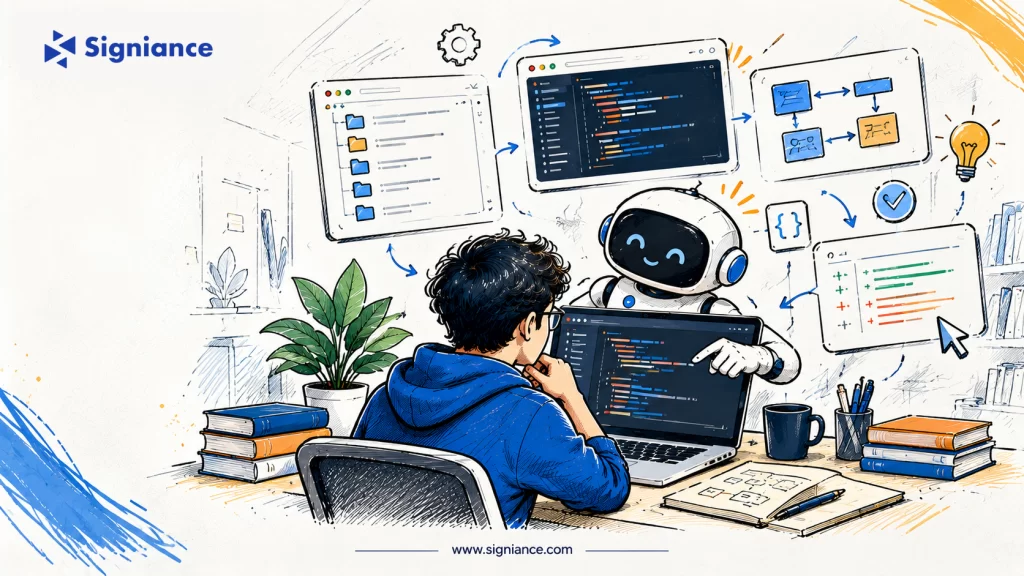
How AI coding assistants can help new developers understand unfamiliar repositories, contribute safely, and become productive without replacing human mentorship.
Table of Contents
- Topic Introduction: Why Onboarding Takes Time
- Why AI Pair Programming Matters
- How to Introduce AI Pair Programming
- When to Use AI During Onboarding
- 7 Ways AI Pair Programming Changes Developer Onboarding
- Conclusion
Why Onboarding Takes Time
A new developer rarely struggles because they cannot write code. The harder task is learning how a particular organization writes, tests, deploys, and maintains software. The repository may contain years of decisions that are not visible in a README: naming conventions, workarounds for old integrations, ownership boundaries, and assumptions embedded in tests.
Traditional onboarding often combines documentation, shadowing, and small starter tickets. That approach remains useful, but it creates bottlenecks when senior engineers must repeatedly explain the same concepts. An AI coding assistant can answer exploratory questions about code, suggest paths through a repository, and explain a function in context. Its responses, however, are hypotheses to verify, not authoritative descriptions of the system.
For startup engineering teams, the goal is not to automate learning. It is to shorten the distance between reading unfamiliar code and making a safe, reviewed contribution. The following framework shows how to use AI as an additional learning interface while preserving engineering standards.
Why AI Pair Programming Matters
Onboarding speed affects more than an individual developer. It determines how quickly a growing team can distribute work without repeatedly interrupting its most experienced engineers. AI assistance can reduce some of those interruptions by making basic exploration self-service, provided the team gives the tool appropriate context and sets boundaries.
Three benefits are especially relevant. First, an assistant can translate unfamiliar code into plain-language explanations and help identify related files. Second, it can generate candidate tests or examples that make hidden behavior easier to inspect. Third, it can help a developer prepare more precise questions for a human mentor, turning vague confusion into a focused technical discussion.
These benefits are not automatic. An assistant may overlook architectural history, invent nonexistent APIs, or confidently recommend a change that violates security expectations. The onboarding process must therefore teach developers to check outputs against source code, test results, documentation, and code-owner feedback.
How to Introduce AI Pair Programming
A successful rollout starts with the repository and its working agreements, not with a tool subscription. Teams should first identify which files an assistant may access, what information must remain private, and which tasks require human approval. They should also document the commands used to run tests, inspect logs, and reproduce the application locally.
| Area | Practical approach | What to verify |
| Repository context | Provide architecture notes, ownership maps, and build instructions | Explanations point to real files and current conventions |
| Access and privacy | Apply approved tools, permissions, and data-handling rules | Secrets and sensitive records stay out of prompts |
| Coding workflow | Use AI for exploration, test ideas, and small candidate changes | Changes pass tests and human review |
| Evaluation | Track time to first reviewed change and review rework | Quality does not decline as speed improves |
It helps to make the assistant explain its reasoning through concrete references: the function being changed, the tests that establish behavior, and the assumptions it is making. New engineers should be encouraged to ask for alternatives and failure cases rather than accepting the first generated patch.
When to Use AI During Onboarding
AI assistance is most useful when matched to the developer’s stage of familiarity. Early use should emphasize understanding rather than implementation. As the developer gains context, the assistant can support small changes, test design, and debugging. More sensitive work should remain closely supervised until the engineer understands the system’s failure modes.
| Stage | Suggested use | Human checkpoint |
| First week | Explore service boundaries, setup steps, and terminology | Mentor confirms architecture and access |
| Weeks 2–3 | Trace bugs, explain tests, and propose small fixes | Reviewer checks assumptions and behavior |
| Weeks 4–6 | Assist with bounded feature work and regression tests | Code owner reviews design and security |
| Later onboarding | Support independent investigation and documentation | Team evaluates quality and ownership |
This sequence is illustrative, not a fixed schedule. A senior hire joining a familiar stack may move faster, while a developer working in a regulated product or complex distributed system may need more guided time. Progress should be measured by the quality and independence of contributions, not the number of prompts sent.
7 Ways AI Pair Programming Changes Developer Onboarding
1. Turns Repository Exploration Into a Conversation
Reading an unfamiliar repository from top to bottom is rarely efficient. A new engineer needs to identify entry points, service boundaries, dependencies, and the path taken by a request. AI pair programming can help by answering targeted questions such as where authentication is enforced or which module owns a particular API response. The developer can then open those files and confirm the explanation against actual execution paths.
The useful outcome is a better mental model of the system. Instead of treating generated summaries as documentation, teams can ask the engineer to record verified findings in an onboarding note. That creates a durable resource and exposes gaps in the existing architecture documentation.
2. Makes Existing Code Easier to Understand
Production code often reflects tradeoffs that are difficult to infer from syntax alone. An assistant can explain a complicated function, translate an unfamiliar language pattern, or compare two implementations. It can also point out where error handling and retries appear to occur. These explanations are valuable starting points, especially for developers moving between frameworks.
The limitation is that code alone does not reveal why every decision was made. A seemingly redundant condition may protect an old customer integration. New developers should validate AI explanations with tests, commit history, and maintainers before simplifying code that looks unnecessarily complex.
3. Helps Developers Ask Better Questions
New hires sometimes hesitate to interrupt a senior engineer with questions they think they should already know. AI can provide an initial explanation of a build failure or a confusing module, helping the developer distinguish a simple knowledge gap from a genuine design question. This can make mentorship conversations more focused and useful.
A productive question might identify the exact service, expected behavior, observed result, and two possible causes. Human mentors can then spend their time explaining product constraints, architectural intent, and tradeoffs rather than repeatedly locating files or translating error messages.
4. Supports Safer First Contributions
The first production change should be small enough to review thoroughly. AI assistance can propose a narrow implementation, suggest edge cases, or draft a test scaffold. This can help a new developer move from observation to participation without requiring them to understand every subsystem first.
The engineer still owns the change. They should be able to explain every modified line, run the relevant tests, inspect the diff, and justify the design to a reviewer. Teams should avoid rewarding a fast merged pull request when the author cannot describe its behavior or risks.
5. Improves Debugging as a Learning Exercise
Debugging teaches how a system behaves under real conditions. AI can help interpret stack traces, connect logs to code paths, and suggest hypotheses to test. Used well, it encourages structured investigation: reproduce the failure, isolate a component, change one variable, and confirm the result.
The assistant should not be given unfiltered production secrets or sensitive customer data. Redacted logs and approved development environments are safer inputs. Developers should also record what evidence supported the fix so that the next incident does not start from zero.
6. Connects Testing With System Understanding
Tests are often the clearest available specification for legacy behavior. An assistant can help explain a failing test, identify uncovered branches, and propose regression cases for a bounded change. For a new developer, this makes testing part of understanding the product rather than a final checklist before merging.
Generated tests require careful review. They may simply reproduce the implementation’s mistake or mock away important behavior. Strong onboarding teaches engineers to derive expected outcomes from requirements and observable behavior, then use AI to explore additional cases.
7. Reveals Documentation and Process Gaps
Repeated onboarding questions reveal missing documentation. If several developers ask an assistant how to configure a service or why a deployment fails, those questions can guide improvements to setup guides, runbooks, and architecture diagrams. AI can draft updates, but owners should verify them before publication.
Over time, the team can compare onboarding friction across cohorts. Useful signals include setup completion time, first independently reviewed contribution, review revisions, and recurring blockers. These measures help determine whether AI support is improving learning or merely generating more code for reviewers to inspect.
Conclusion
AI pair programming can make developer onboarding more interactive by helping new engineers explore code, test assumptions, and prepare better questions. Its strongest role is supporting learning, not replacing technical judgment, code review, or mentorship. To build secure, maintainable AI-assisted engineering workflows, explore Signiance Technologies