
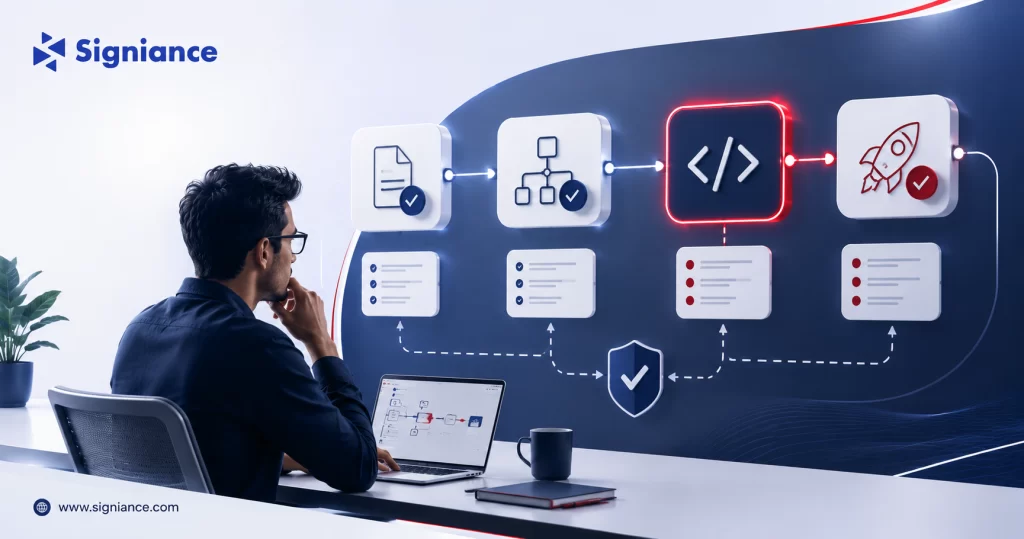
Keep AI-assisted development aligned with the original feature goal from requirements through implementation
AI coding tools can move quickly from a simple feature request to changes that were never part of the original scope. Kiro’s Spec-driven workflow gives teams a practical way to control this problem by defining requirements first, reviewing the design, and turning approved work into explicit implementation tasks.
Table of Contents
- Topic Introduction
- Why AI Scope Drift Matters
- How Kiro’s Spec-Driven Workflow Controls Scope
- When to Use the Spec Workflow
- Top 8 Ways to Reduce AI Scope Drift With Kiro
- Conclusion
AI coding assistants can make changes faster, but speed can create a new development problem: scope drift. A request that starts as “add password reset” can gradually turn into changes to authentication, user profiles, email templates, database structures, UI components, and unrelated validation.
Kiro’s Spec-driven workflow is designed to make the development path more explicit. Its Spec process moves through requirements, design, and implementation tasks, giving the developer checkpoints before more code is produced. (kiro.dev)
The result is not that AI never makes an unexpected change. The result is that the team has a clearer way to define, review, and control what the AI is supposed to build.
Why AI Scope Drift Matters
- Changes expand quietly: A small request can become several unrelated implementation changes when boundaries are not defined.
- Reviews become harder: Developers must review more code when the original request is not clearly separated from additional suggestions.
- Testing grows: Every additional behavior can introduce new test cases and failure conditions.
- Costs increase: More generated work means more developer review time and potentially more AI usage.
- Requirements lose value: If the implementation can change without reference to an approved requirement, the original scope becomes difficult to enforce.
How Kiro’s Spec-Driven Workflow Controls Scope
Kiro’s Spec workflow creates three important artifacts: requirements, design, and tasks. Kiro’s documentation describes the process as starting with user stories and acceptance criteria, followed by technical design and then implementation tasks. (kiro.dev)
| Stage | Scope Control | What to Review |
|---|---|---|
| Requirements | Defines expected behavior | User stories and acceptance criteria |
| Design | Defines technical approach | Architecture, interfaces, data flow |
| Tasks | Defines implementation work | Individual coding tasks |
| Implementation | Executes approved work | Actual code changes |
| Validation | Checks intended behavior | Tests and acceptance criteria |
This creates a useful rule for AI-assisted development:
Do not ask the AI to solve an unclear requirement. Make the requirement clear first.
Requirements Create the Boundary
A requirement should answer:
- Who needs it: Identify the user or system.
- What is needed: Define the required behavior.
- Why it matters: Explain the intended outcome.
- What is excluded: State important scope boundaries.
- How to verify: Define observable acceptance criteria.
Design Creates the Technical Boundary
The design should answer:
- What changes: Identify affected components.
- What stays unchanged: Protect unrelated systems.
- How it connects: Define interfaces and dependencies.
- What data changes: Identify required models or schemas.
- What risks exist: Highlight technical constraints.
Tasks Create the Execution Boundary
Tasks should answer:
- What gets built: Define one implementation unit.
- Where it changes: Identify relevant files or components.
- What depends on it: Specify implementation order.
- How it is tested: Define verification requirements.
- What remains outside: Prevent unrelated work from entering the task.
When to Use the Spec Workflow
| Situation | Recommended Approach | Reason |
|---|---|---|
| Small text change | Direct coding | A Spec may add unnecessary overhead |
| Simple bug fix | Vibe or direct task | Scope is usually already understood |
| New feature | Spec | Requirements need definition |
| Multi-component change | Spec | Dependencies need planning |
| Database change | Spec | Data impact should be reviewed |
| API redesign | Spec | Interfaces need explicit decisions |
| Architecture change | Spec | Technical boundaries need review |
| High-risk feature | Spec | Requirements and design need approval |
Kiro’s documentation positions Feature Specs for complex features, multiple implementation steps, and work where requirements or technical design need to be considered before implementation. (kiro.dev)
Top 8 Ways to Reduce AI Scope Drift With Kiro
1. Define the Feature Boundary First
- Name the feature: Give the Spec a specific feature name.
- State the goal: Describe the business or user outcome.
- List exclusions: Explicitly identify work that is not included.
- Limit components: Name the systems that are allowed to change.
- Avoid vague scope: Replace “improve authentication” with a specific capability.
A useful scope statement might be:
Build password reset for existing users. Do not change login, registration, MFA, account deletion, or profile management.
This gives both the developer and Kiro a clear boundary.
2. Write Testable Requirements
- Use acceptance criteria: Define observable system behavior.
- State conditions: Describe when each behavior occurs.
- Define responses: State what the system must do.
- Cover failures: Include invalid input and error paths.
- Avoid vague language: Remove terms such as “better,” “fast,” and “easy.”
Kiro’s Spec documentation supports acceptance criteria within the requirements artifact, making requirements a useful checkpoint before moving into technical design. (kiro.dev)
3. Review Requirements Before Design
- Check scope: Confirm every requirement belongs to the feature.
- Remove extras: Delete unnecessary requirements before design generation.
- Check dependencies: Identify external systems that genuinely need changes.
- Confirm behavior: Make sure success and failure paths are covered.
- Approve intentionally: Move forward only when the requirements reflect the intended feature.
This checkpoint is important because an incorrect requirement can create incorrect design and implementation tasks later.
4. Keep the Design Connected to Requirements
- Map components: Connect each design decision to a requirement.
- Protect boundaries: Avoid changing unrelated architecture.
- Define interfaces: Specify API and service interactions.
- Document decisions: Record important technical choices.
- Question additions: Ask why a new component is needed.
Kiro’s design artifact is intended to translate the requirements into a technical approach before implementation tasks are created. (kiro.dev)
5. Break Work Into Small Tasks
- Use clear tasks: Each task should have one meaningful implementation goal.
- Set boundaries: Identify the files, modules, or services involved.
- Define dependencies: Make task order explicit where required.
- Include tests: Add verification as part of implementation.
- Avoid broad tasks: “Refactor the application” is too large for controlled execution.
Smaller tasks make it easier to detect when implementation begins moving outside the agreed scope.
6. Stop Unplanned Improvements
- Reject extras: Do not accept unrelated improvements simply because Kiro identifies them.
- Record later work: Add useful ideas to a separate backlog.
- Protect scope: Keep the current Spec focused on its stated goal.
- Separate refactoring: Create another task when refactoring is genuinely required.
- Review dependencies: Distinguish required changes from optional improvements.
This is one of the simplest controls for AI scope drift. A technically reasonable suggestion can still be outside the current feature.
7. Use the Spec as a Review Checklist
- Compare code: Check implementation against approved requirements.
- Check tasks: Confirm completed work maps to planned tasks.
- Review files: Identify unexpected file changes.
- Run tests: Verify acceptance criteria rather than only compilation.
- Check exclusions: Confirm explicitly excluded areas remain unchanged.
The goal is not to prevent the AI from making useful suggestions. The goal is to make sure suggestions do not silently become implementation requirements.
8. Keep Requirements Updated
- Record decisions: Update requirements when approved behavior changes.
- Avoid stale specs: Do not continue coding against outdated requirements.
- Track changes: Make scope changes visible to the team.
- Review downstream work: Recheck design and tasks after meaningful requirement changes.
- Preserve history: Keep the Spec as a record of the intended feature.
Kiro supports updating Spec artifacts as the development process progresses. The important practice is to treat changes to requirements as deliberate decisions rather than incidental prompt changes. (kiro.dev)
A Practical Scope Control Template
| Section | What to Write |
|---|---|
| Feature Goal | One sentence describing the intended outcome |
| In Scope | Exact capabilities included |
| Out of Scope | Capabilities explicitly excluded |
| Affected Systems | Components that may change |
| Requirements | User stories and acceptance criteria |
| Design Constraints | Technical rules that must be followed |
| Implementation Tasks | Small, reviewable development steps |
| Validation | Tests that confirm the requirements |
This structure is especially useful for startup engineering teams where one developer may work across frontend, backend, infrastructure, and AI services.
Conclusion
The best way to reduce AI scope drift is to control the work before code generation begins. Use Kiro’s requirements, design, and task stages as review points, define what is in and out of scope, and validate implementation against the approved requirements. For help building structured AI development workflows on AWS, contact Signiance Technologies.