
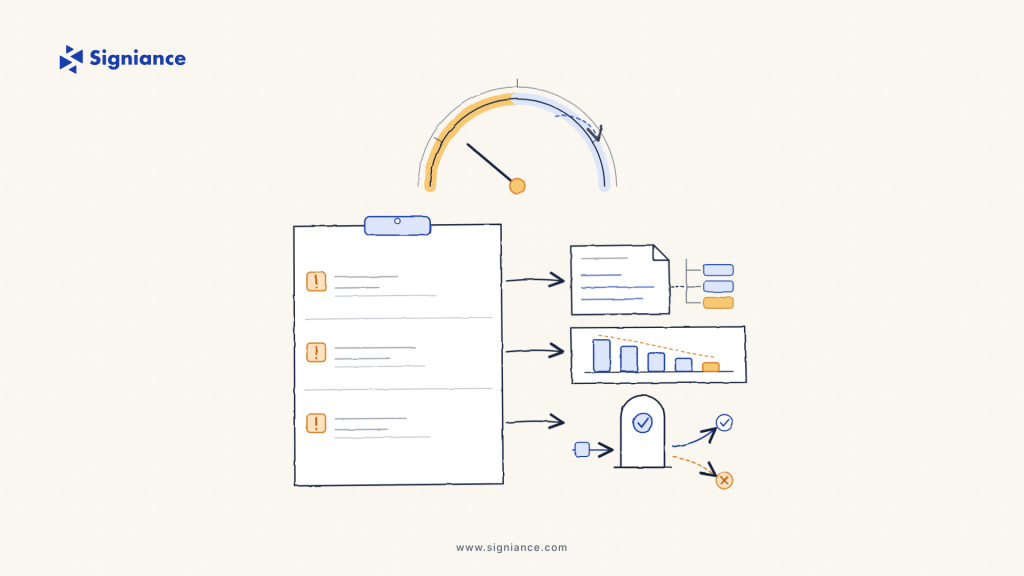
A quick self-test for founders and CTOs, with one concrete fix for each sign.
In this article
- Sign 1: Your AI Context Lives in Personal Chat Windows
- Sign 2: You Measure AI Seats, Not Delivery Outcomes
- Sign 3: AI Output Is Checked by Gut Feel, Not by Gates
- What AI Native Looks Like Instead
- A 15-Minute AI Native Readiness Self-Test
- How Signiance Helps
Here is a quick test. Ask three engineers on your team how AI fits into the way you ship software. If you get three different answers, and all of them are about which chat tool they prefer, your startup is probably AI-assisted, not AI native. Surfacing that gap is the whole point of an AI native readiness check, and it matters far more than which model you pick.
The reason is simple: almost everyone already uses AI. The 2025 DORA report surveyed nearly 5,000 technology professionals and found that 90% use AI at work and more than 80% believe it has increased their productivity. Tool adoption is no longer a differentiator. What separates teams is the system around the tools. As the DORA researchers put it, “AI doesn’t fix a team; it amplifies what’s already there.”
So instead of asking “are we using AI?”, ask whether your operating model is built for it. These three signs tell you quickly.
Sign 1: Your AI Context Lives in Personal Chat Windows
In an AI-assisted team, every engineer starts each session from zero. They paste the same architecture notes, re-explain the same naming rules and correct the same wrong assumptions about your stack. What the assistant learns disappears when the tab closes. Two engineers working on the same service get two different styles of code, because the assistant never saw a shared definition of “how we build here.”
An AI native team treats context as a versioned asset that lives in the repository, next to the code it describes. Tools now support this directly. Kiro, for example, uses steering files: markdown files in .kiro/steering/ that give the agent persistent knowledge of your project. Three foundation files are included in every interaction by default:
.kiro/steering/
  product.md     # who the users are, what problem we solve
  tech.md        # stack, approved libraries, AWS services in use
  structure.md   # folder layout, naming, where tests live
You can also scope guidance to specific parts of the codebase with front matter, so infrastructure rules only load when the agent touches infrastructure code:
---
inclusion: fileMatch
fileMatchPattern: "infra/**/*.ts"
---
Every Lambda function gets a dead-letter queue, structured JSON logs
and an explicit timeout. Never grant wildcard IAM actions.
Kiro also reads an AGENTS.md file, a convention other coding agents support too, so the same context can follow your team across tools.
Self-check: could a new engineer, or a new agent, produce code in your house style on day one without asking anyone? If the answer depends on who they sit next to, context is still personal.
Fix this week: write the three foundation files, review them in a pull request like any other code, and add one scoped rule for the area where AI-generated code gets corrected most often.
Sign 2: You Measure AI Seats, Not Delivery Outcomes
Ask most founders whether AI tools made the team faster and you will get a confident yes. The data says confidence is a poor instrument.
In METR’s early 2025 randomized study, 16 experienced open-source developers worked on 246 real issues. Before starting, they expected AI to speed them up by 24%. With AI allowed, they took 19% longer. Afterward, they still believed AI had sped them up by 20%. METR has since said those results are out of date for newer tools, and its February 2026 update is more interesting still: measuring the effect got harder, partly because developers now run several agents at once and some refused to work without AI at all. The lesson for founders is not “AI is slow.” It is that perception and reality can point in opposite directions, so you need instrumentation.
DORA’s 2025 findings add a second warning. AI adoption now shows a positive relationship with software delivery throughput, but it “continues to have a negative relationship with software delivery stability.” More code, shipped faster, can mean more incidents if nothing else changes.
An AI native team tracks outcomes before and after each change to how it works:
| Metric | What it tells you | Where it comes from | |—|—|—| | Lead time for changes | Is work reaching users faster? | Git host and CI pipeline | | Deployment frequency | Are you shipping in smaller batches? | CI/CD logs | | Change failure rate | Is speed costing stability? | Incidents linked to deploys | | Time to restore | Can you recover quickly? | Incident tracker | | Rework rate | How much AI output gets rewritten? | Reverts and follow-up commits | | Review wait time | Is human review the new bottleneck? | Pull request timestamps |
Self-check: can you show a before and after chart for any of these since you rolled out AI tools? Seat counts and “lines suggested” do not count.
Fix this week: pull the last 60 days of pull request and deploy data into a simple dashboard. It becomes your baseline for every AI experiment that follows.
Sign 3: AI Output Is Checked by Gut Feel, Not by Gates
The Stack Overflow 2025 Developer Survey found that 84% of developers use or plan to use AI tools, yet 46% do not trust the accuracy of the output, and 45% say they get bogged down debugging AI-generated code. When review is the only safety net, a faster code generator simply moves the queue to your senior engineers.
DORA points to the controls that matter: strong automated testing, version control discipline and fast feedback loops. An AI native team builds these into the loop at three levels.
At the editor. Agent hooks run checks automatically when something happens. Kiro hooks, for instance, can run a shell command or an agent prompt when the agent creates or saves a file, before a tool is used, or when a task finishes. Linting, type checks and secret scanning on every agent edit catch problems before a human ever looks.
At the pipeline. Every AI-written change goes through the same tests as human-written code, with coverage gates on the paths AI touches most. If AI is writing your tests too, review the tests first.
In the product. If AI is part of what customers use, you need evaluations, not spot checks. Amazon Bedrock AgentCore Evaluations, generally available since March 2026, supports on-demand evaluation for regression testing in CI/CD pipelines and online evaluation that samples and scores live traces in production. It ships with 13 built-in evaluators covering response quality, safety, task completion and tool usage, and you can add custom evaluators backed by Lambda functions or your own judge prompts.
Self-check: if an AI-generated change broke something important tomorrow, which automated check would have caught it first?
Fix this week: add one automated gate at each level, starting with the area where your last incident came from.
What AI Native Looks Like Instead
AWS describes this shift in its AI-Driven Development Lifecycle (AI-DLC). Instead of bolting AI onto existing sprints, the workflow is rebuilt around a repeating pattern “where AI creates a plan, asks clarifying questions to seek context, and implements solutions only after receiving human validation.” Sprints become “bolts” measured in hours or days, and the whole team validates the AI’s questions and proposals together in Mob Elaboration sessions.
Notice what changes for people. Engineers spend less time typing and more time setting intent, answering clarifying questions and reviewing plans. That only works when the three signs above are fixed: shared context so the AI asks good questions, outcome metrics so you know the loop is working, and automated gates so human review is focused where it counts.
A 15-Minute AI Native Readiness Self-Test
Score one point for each “yes”:
- Project context for AI lives in the repo and is reviewed like code.
- A new engineer gets the same AI behaviour as a senior one on day one.
- You have a baseline for lead time, change failure rate and rework rate.
- You can show whether those numbers moved after AI adoption.
- Agent edits trigger automated lint, type and secret checks.
- AI features in your product have an evaluation suite that runs in CI.
- Production AI behaviour is scored continuously, not only after complaints.
Zero to two: AI-assisted. Three to five: in transition. Six or seven: you are operating AI native, and the next step is scaling it across teams.
How Signiance Helps
Our AI Native Engineering practice helps founders and CTOs move from scattered AI tool use to an operating model: repo context and spec workflows, delivery metrics baselines, CI gates and agent evaluations on AWS, sized for a small team.
If you scored below five, or you are not sure how to score some of these, book a free AI Native readiness assessment or a free consultation at signiance.com. We will walk through your current workflow and give you a prioritised plan for the next 30 days.