
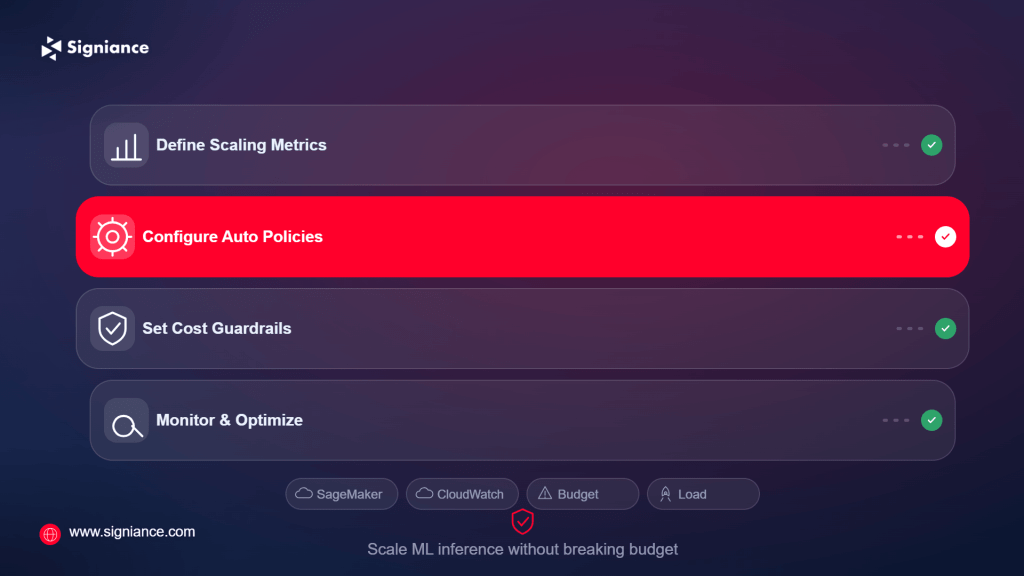
Scale model inference with demand while keeping GPU, CPU, and endpoint costs under control
Machine learning inference costs can rise quickly when endpoints are provisioned for peak traffic but receive inconsistent demand. This guide explains how to design autoscaling ML inference endpoints that respond to real workload patterns, avoid unnecessary compute capacity, and maintain predictable performance without paying for idle resources.
Table of Contents
- Topic Introduction
- Why Autoscaling ML Inference Endpoints Matters
- How to Plan Autoscaling for ML Inference
- When to Scale ML Inference Endpoints
- Top 7 Ways to Autoscale ML Inference Endpoints Without Overspending
- Conclusion
Running an ML model in production creates a difficult cost problem. If you keep enough instances running for the highest expected traffic, you may waste money during quiet periods. If you keep capacity too low, requests can queue, latency can increase, and users may experience failed or delayed predictions.
Autoscaling solves part of this problem by adjusting compute capacity as demand changes. However, simply enabling autoscaling does not guarantee lower costs. The scaling metric, minimum capacity, cooldown behavior, instance type, model loading time, and traffic pattern all affect the final bill.
The goal is not to run the smallest possible infrastructure. The goal is to run enough capacity to meet your performance requirements without maintaining unnecessary capacity.
Why Autoscaling ML Inference Endpoints Matters
- Idle capacity costs: Fixed endpoint capacity continues consuming resources even when request volume drops.
- Traffic changes: ML workloads often have uneven traffic, making static capacity inefficient.
- GPU expense: GPU-backed inference can cost substantially more than CPU-based workloads, making unused capacity expensive.
- Latency requirements: Scaling too slowly can cause queueing and increased inference latency during traffic spikes.
- Model behavior: Large models may take significant time to load, making reactive scaling different from scaling a standard web application.
How to Plan Autoscaling for ML Inference
Before configuring autoscaling, establish the relationship between traffic, inference time, resource utilization, and cost.
| Aspect | What to Measure | Scaling Consideration |
|---|---|---|
| Request volume | Requests per minute or second | Useful for traffic-driven scaling |
| Latency | p50, p95, and p99 latency | Protects the user experience |
| Instance utilization | CPU, GPU, memory | Helps identify resource pressure |
| Queue depth | Pending inference requests | Useful for asynchronous workloads |
| Model loading time | Time required to initialize a model | Determines how early scaling should begin |
| Instance cost | Cost per running instance | Sets the financial impact of minimum capacity |
| Scale-out time | Time to add usable capacity | Important for sudden traffic spikes |
| Scale-in time | Time to remove capacity safely | Helps reduce idle spending |
AWS services such as Amazon SageMaker provide autoscaling capabilities for inference endpoints. Application Auto Scaling can adjust the number of instances associated with a SageMaker endpoint based on configured policies and metrics. (AWS)
A useful starting point is to establish three numbers:
- Minimum capacity: The smallest number of instances needed to serve normal traffic.
- Maximum capacity: The highest number of instances you are willing to run.
- Target metric: The metric that tells the autoscaler when additional capacity is required.
Do not choose these values only from infrastructure defaults. Use actual workload measurements.
When to Scale ML Inference Endpoints
Timing matters because ML models can take longer to become ready than ordinary application servers.
| Situation | Scaling Action | Reason |
|---|---|---|
| Normal traffic | Maintain baseline capacity | Avoid unnecessary scale operations |
| Rising traffic | Scale out before saturation | Protect latency and queue time |
| Sudden spike | Allow rapid scale-out | Prevent request failures |
| Sustained low traffic | Scale in gradually | Reduce idle compute |
| Predictable traffic peak | Pre-scale capacity | Avoid waiting for new instances |
| Overnight or weekend demand | Reduce baseline capacity | Lower costs during quiet periods |
| Batch inference | Use scheduled or batch capacity | Avoid keeping online endpoints idle |
For predictable traffic, scheduled scaling can be more cost-efficient than waiting for reactive metrics. For unpredictable workloads, metric-based scaling can respond to changing demand.
The important point is that scale-out and scale-in do not have to use the same logic.
Top 7 Ways to Autoscale ML Inference Endpoints Without Overspending
1. Choose the Right Scaling Metric
The first scaling decision is choosing what the system should react to.
- Track utilization: Monitor CPU, GPU, or memory utilization where relevant.
- Measure latency: Use latency when user-facing response time is the main concern.
- Monitor requests: Track requests per instance when traffic is the primary driver.
- Watch queues: Use queue depth for asynchronous inference systems.
- Compare metrics: Test which metric correlates best with actual performance degradation.
A high CPU percentage does not always mean an ML endpoint needs another instance. A model may be GPU-bound while CPU utilization remains moderate.
2. Set a Realistic Minimum Capacity
The minimum instance count has a direct effect on your baseline cost.
- Measure baseline traffic: Determine how many instances normal demand actually requires.
- Avoid oversized minimums: Do not keep peak capacity running throughout the day.
- Consider cold starts: Keep enough capacity available if model loading takes significant time.
- Review usage: Adjust minimum capacity as traffic patterns change.
- Protect availability: Do not reduce capacity below what your reliability requirements allow.
For low-volume applications, running one or more expensive GPU instances continuously may be the biggest source of avoidable spending.
3. Control the Maximum Capacity
Autoscaling without a sensible upper limit can create a large unexpected bill during abnormal traffic.
- Set hard limits: Define the maximum number of instances the endpoint can create.
- Estimate peak cost: Calculate the hourly cost at maximum capacity.
- Monitor growth: Investigate sustained scale-out rather than assuming it is normal.
- Detect traffic anomalies: Alert when traffic suddenly exceeds expected levels.
- Review limits: Increase maximum capacity only after validating the workload.
Maximum capacity is both a performance control and a cost control.
4. Match Instance Types to the Model
The most expensive instance is not necessarily the fastest or most cost-effective option for your model.
- Benchmark inference: Measure throughput and latency across suitable instance types.
- Check utilization: Determine whether the model actually uses available GPU or CPU resources.
- Compare throughput: Evaluate cost per prediction, not only hourly instance price.
- Test memory needs: Avoid paying for excess memory that the model does not require.
- Consider architecture: Smaller models may work efficiently on CPU instances.
A useful calculation is:
Cost per inference = infrastructure cost ÷ successful inference volume
This gives you a more useful comparison than looking only at the hourly infrastructure price.
5. Use Scheduled Scaling for Predictable Demand
If traffic follows a predictable pattern, you do not need to wait for the autoscaler to discover the pattern.
- Identify peaks: Find recurring periods of high request volume.
- Pre-scale early: Add capacity before expected demand begins.
- Scale down later: Reduce capacity after the traffic window ends.
- Review schedules: Update schedules when user behavior changes.
- Combine policies: Use scheduled scaling with reactive scaling when appropriate.
For example, an application that consistently receives higher traffic between 9 AM and 6 PM can prepare capacity ahead of that window instead of waiting for latency to increase.
6. Reduce Scale-In and Scale-Out Churn
Aggressive scaling can cause the endpoint to repeatedly add and remove instances.
- Use stable thresholds: Avoid thresholds that trigger constantly around one value.
- Allow cooldown: Give new instances time to become useful before another decision.
- Scale gradually: Avoid unnecessary large capacity changes.
- Review oscillation: Check whether capacity repeatedly moves up and down.
- Account for startup time: Include model initialization when designing scaling behavior.
This is particularly important for large models. If an instance takes several minutes to become ready, scaling decisions based only on current traffic can arrive too late.
7. Monitor Cost and Performance Together
Cost optimization should not happen separately from application performance.
- Track latency: Watch p95 and p99 latency alongside infrastructure metrics.
- Track utilization: Identify consistently underused resources.
- Track instance count: Look for unexpected scaling behavior.
- Track inference volume: Compare infrastructure consumption with actual workload.
- Track endpoint cost: Review costs by model and environment.
- Set alerts: Notify the team when spending or capacity exceeds expected levels.
AWS Cost Explorer can help teams analyze AWS spending, while AWS CloudWatch provides monitoring and metrics that can be used to understand endpoint behavior. (AWS Cost Explorer) (Amazon CloudWatch)
A Practical Cost-Control Checklist
Use this checklist before putting an autoscaled inference endpoint into production:
- Baseline traffic: Measure normal, peak, and minimum request volume.
- Benchmark models: Test inference performance on candidate instance types.
- Define latency: Establish acceptable p95 and p99 latency targets.
- Set minimum: Choose baseline capacity based on measured demand.
- Set maximum: Establish a cost-aware upper capacity limit.
- Choose metric: Select the metric that best predicts performance pressure.
- Test scale-out: Measure how long new instances take to serve requests.
- Test scale-in: Verify that removing capacity does not cause latency spikes.
- Review costs: Calculate cost per inference and cost at peak capacity.
- Create alerts: Monitor unusual traffic, capacity, and spending patterns.
Conclusion
Autoscaling ML inference endpoints without overspending requires more than turning on an autoscaling policy. Start with real traffic and inference measurements, choose a scaling metric that reflects workload pressure, control minimum and maximum capacity, benchmark instance types, and monitor cost alongside performance.
If your ML workloads are running on AWS, Signiance Technologies can help design and optimize the infrastructure, autoscaling policies, monitoring, and deployment setup around your actual workload