
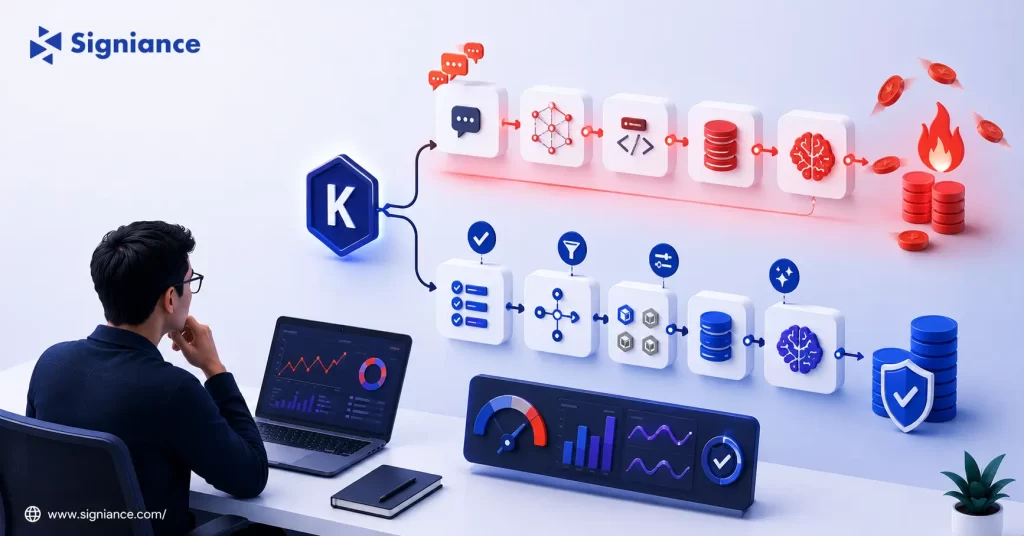
A practical guide to reducing unnecessary Kiro usage without slowing down development
Kiro can consume credits faster than expected when prompts are broad, tasks are repeatedly refined, or expensive models are used for work that does not need them. This guide explains how to control Kiro credit usage across Vibe and Spec workflows, reduce repeated work, and get more useful development output from every credit.
Table of Contents
- Topic Introduction
- Why Kiro Credits Matter
- How to Control Kiro Credit Usage
- When to Use Vibe vs Spec
- Top 8 Ways to Reduce Kiro Credit Usage
- Conclusion
If Kiro credits disappear faster than expected, the problem is usually not Kiro itself. The bigger issue is how work is being sent to Kiro. Large prompts, unnecessary refinements, repeated conversations, expensive model selection, and poorly scoped tasks can increase credit consumption quickly.
Kiro currently uses a unified credit pool. Both Vibe and Spec work consume credits, and complex tasks generally consume more than simple prompts. Kiro also meters usage in fractional credits, so even small actions contribute to the total.
The goal is simple:
- Reduce waste: Stop spending credits on work that can be handled manually.
- Improve prompts: Give Kiro enough context without unnecessary information.
- Choose workflows: Use Vibe and Spec for the type of work they handle best.
- Control models: Avoid using higher-cost models for simple development tasks.
- Track usage: Identify exactly where your credits are going.
Why Kiro Credits Matter
- Small requests add up: Kiro meters credit usage for individual requests, including prompts, Spec refinement, task execution, and agent hooks.
- Complex tasks cost more: A simple edit can use less than one credit, while larger Spec tasks can consume substantially more.
- Model choice matters: Different models have different credit rates. Kiro states that Auto can use fewer credits than manually selecting higher-cost models for the same work.
- Repeated work is expensive: Asking Kiro to repeatedly regenerate the same requirement, design, or implementation can consume credits without producing proportional value.
- Your budget is finite: Even with paid plans, uncontrolled usage can push you toward additional credit purchases. Kiro currently charges $0.04 per add-on credit for individual paid plans.
How to Control Kiro Credit Usage
| Aspect | Better Approach | Avoid |
|---|---|---|
| Prompt size | Give the exact task, constraints, files, and expected output | Sending large amounts of unrelated context |
| Task scope | Break large features into clear units | Asking Kiro to build an entire application in one request |
| Model selection | Use Auto for routine work | Manually selecting expensive models for every task |
| Vibe usage | Use it for exploration and small changes | Using long Vibe conversations for structured implementation |
| Spec usage | Use Spec for features that need requirements and planning | Creating Specs for tiny changes |
| Refinement | Refine only specific sections | Rebuilding the entire artifact repeatedly |
| Code review | Ask for targeted review areas | Asking for a complete review after every small edit |
| Usage tracking | Check credit consumption regularly | Waiting until credits are nearly exhausted |
Kiro’s current documentation confirms that Auto dynamically selects a model based on the task and can use fewer credits than manually selecting Sonnet for the same prompt.
When to Use Vibe vs Spec
| Development Situation | Recommended Workflow | Reason |
|---|---|---|
| Small code change | Vibe | Faster for focused edits |
| Bug investigation | Vibe | Useful when exploring an existing problem |
| Quick explanation | Vibe | No need to create structured artifacts |
| New feature | Spec | Requirements and implementation can be planned first |
| Complex feature | Spec | Better when several development steps are involved |
| Architecture work | Spec | Gives you requirements, design, and task artifacts |
| Repeated feature type | Quick Spec | Faster path while still creating Spec artifacts |
| High-risk change | Standard Spec | Review gates provide more control |
Kiro’s current Quick Spec workflow produces requirements, design, and task artifacts while reducing the approval steps between phases.
Top 8 Ways to Reduce Kiro Credit Usage
1. Write Smaller, More Precise Prompts
- Define one task: Ask Kiro to solve one specific problem at a time.
- Set boundaries: Tell it which files or components it should modify.
- State the output: Specify whether you want code, analysis, a fix, or a review.
- Remove repetition: Do not repeat information Kiro already has in the current context.
- Avoid broad requests: Replace “improve the application” with a measurable development task.
2. Stop Using Vibe for Structured Features
- Use Vibe selectively: Keep Vibe for exploration, questions, debugging, and small changes.
- Use Spec intentionally: Choose Spec when requirements, design, and implementation tasks need to be coordinated.
- Avoid long chats: A long conversational development session can create unnecessary requests.
- Plan first: Define the feature before asking Kiro to implement multiple parts.
- Review artifacts: Check requirements and design before generating implementation tasks.
3. Let Auto Handle Routine Model Selection
- Start with Auto: Kiro’s Auto agent is designed to select an appropriate model for the task.
- Avoid premium defaults: Do not manually select a higher-cost model for every request.
- Reserve premium models: Use them when the task actually benefits from their additional capability.
- Compare outcomes: Test whether a cheaper model produces the same acceptable result.
- Watch credit usage: Compare similar tasks instead of assuming every model costs the same.
Kiro states that a task costing X credits in Auto can cost 1.3X when run with Sonnet in the cited documentation. Model availability and rates can change, so check Kiro’s current model documentation before making a long-term policy.
4. Give Kiro the Right Context Before Execution
- Name the files: Tell Kiro exactly where the relevant implementation lives.
- Explain constraints: Include framework, database, API, and coding requirements that matter.
- Define success: State what must be true when the task is finished.
- Include errors: Provide the actual error message instead of describing it loosely.
- Avoid noise: Remove unrelated files and background information from the request.
5. Stop Regenerating Complete Artifacts
- Target changes: Ask Kiro to modify the specific requirement that is wrong.
- Keep good work: Do not regenerate a complete Spec because one section needs correction.
- Review first: Identify the exact problem before sending another request.
- Use direct edits: Kiro allows users to edit Spec artifacts directly when appropriate.
- Regenerate selectively: Re-run only the work affected by the change.
6. Break Large Features Into Controlled Tasks
- Start with scope: Define the feature boundary before implementation.
- Separate concerns: Keep database, backend, frontend, and testing tasks distinct when useful.
- Complete incrementally: Validate each meaningful unit before moving forward.
- Reduce rework: Early validation prevents large downstream corrections.
- Keep tasks measurable: Each task should have a clear completion condition.
7. Review Before Asking Kiro to Execute
- Read the plan: Check requirements and design before implementation.
- Catch mistakes early: Fix incorrect assumptions before they become code.
- Reject unnecessary work: Remove tasks that do not contribute to the feature.
- Clarify dependencies: Resolve missing information before execution.
- Protect credits: A few minutes of human review can prevent multiple AI requests.
8. Track Usage Before You Run Out
- Check regularly: Kiro provides credit usage information through its interface and subscription dashboard.
- Find patterns: Identify which types of tasks consume the most credits.
- Compare models: Check whether model selection is affecting your usage.
- Watch repeated tasks: Repeated refinements can indicate weak initial requirements.
- Set team rules: For teams, monitor individual usage instead of looking only at total consumption.
Kiro’s enterprise reporting includes metrics such as credits used, total messages, subscription tier, and overage usage, which can help teams identify high-usage patterns.
Conclusion
The fastest way to stop Kiro from burning through credits is not simply to buy a larger plan. Scope requests tightly, use Vibe and Spec for the right jobs, let Auto handle routine model selection, and review work before asking Kiro to regenerate it. If your development team wants to build a controlled AI-assisted engineering workflow on AWS, Signiance Technologies, can help assess the architecture, workflow, and implementation approach.