
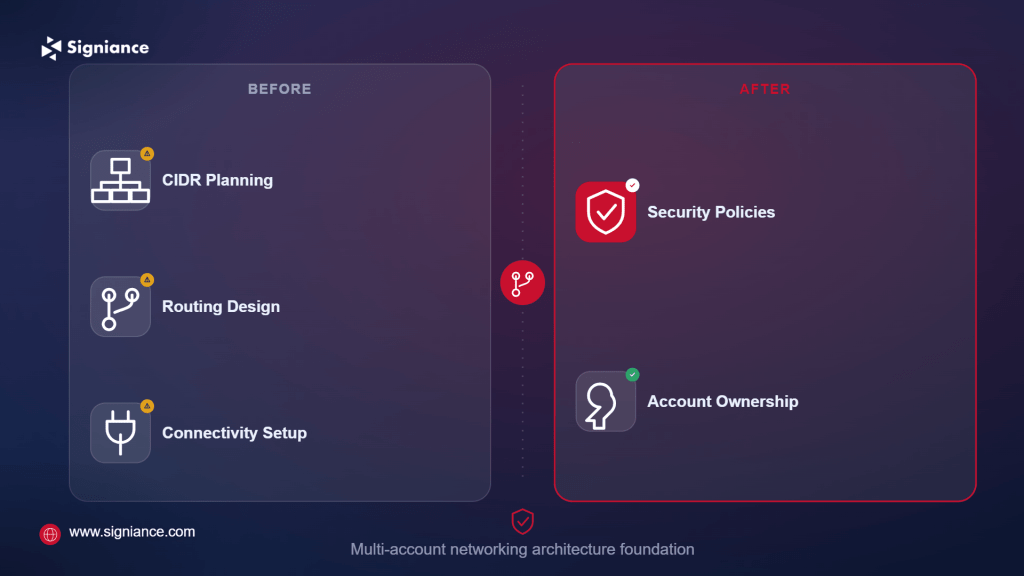
Plan CIDRs, routing, connectivity, security, and ownership before multiple AWS accounts turn networking into a maintenance problem.
A multi-account AWS environment gives teams better isolation, security boundaries, and ownership, but it also makes networking more complicated. Poor VPC planning can lead to overlapping CIDRs, complex peering, unclear routing, and difficult cross-account access. This guide explains the VPC design best practices for multi-account AWS environments that help you build a network structure that remains manageable as accounts and workloads grow.
Table of Contents
- Topic Introduction
- Why VPC Design Matters
- How to Plan a Multi-Account VPC
- When to Review Your VPC Architecture
- Top 10 VPC Design Best Practices
- Conclusion
A single AWS account with one or two VPCs is relatively easy to manage. The networking model becomes more difficult when production, development, security, shared services, data, and other workloads are separated into different AWS accounts.
The main challenges usually involve:
- IP planning: VPC CIDRs must be planned so future VPCs do not overlap.
- Account connectivity: Applications may need controlled communication across accounts.
- Routing control: Production, development, shared services, and security traffic may need different paths.
- Central networking: Teams need clear ownership of Transit Gateway, DNS, egress, and other shared components.
- Security boundaries: Connectivity should not automatically mean unrestricted access.
AWS recommends centralized networking patterns for larger multi-VPC environments, with AWS Transit Gateway commonly used to connect VPCs through a central hub.
The goal is not to create the most complicated network possible. The goal is to create predictable network boundaries that your team can understand and operate.
Why VPC Design Matters
- Prevent IP conflicts: Overlapping CIDRs can make future VPC connectivity difficult and force expensive redesigns.
- Control network access: Separate accounts should not automatically have unrestricted connectivity to one another.
- Reduce routing complexity: A consistent hub-and-spoke model is easier to manage than a growing mesh of point-to-point connections.
- Support growth: Good address planning and account-level boundaries make adding new workloads easier.
- Clarify ownership: A dedicated network account can separate network administration from application teams and improve least-privilege access.
How to Plan a Multi-Account VPC
| Aspect | Strategy |
|---|---|
| Account structure | Separate workloads by environment, business function, security boundary, or ownership requirement. |
| CIDR allocation | Reserve non-overlapping address ranges before creating VPCs. |
| Network account | Centralize shared networking components where appropriate. |
| VPC connectivity | Use Transit Gateway for larger multi-VPC environments and simpler connectivity patterns for small deployments. |
| Routing | Create route tables based on traffic requirements instead of allowing broad connectivity by default. |
| Internet access | Decide whether internet egress should be centralized or handled separately by workload VPCs. |
| DNS | Define how workloads resolve AWS services, internal domains, and hybrid resources. |
| Security | Combine security groups, network ACLs, routing controls, firewalls, and monitoring based on risk. |
| Automation | Use infrastructure as code and standardized VPC templates to reduce configuration drift. |
AWS Prescriptive Guidance recommends a centralized networking account for services such as Transit Gateway and VPC IP Address Manager, with AWS RAM used to share resources with other accounts.
When to Review Your VPC Architecture
| Stage | Recommended Action |
|---|---|
| Before adding accounts | Define the CIDR allocation strategy and network ownership model. |
| Before production launch | Validate routing, security boundaries, DNS, and internet paths. |
| At 5+ VPCs | Review whether individual VPC peering connections are becoming difficult to manage. |
| Before hybrid connectivity | Design routing for VPN or Direct Connect before connecting on-premises networks. |
| During major expansion | Revisit CIDR capacity, Transit Gateway routing, DNS, and centralized egress. |
| After incidents | Review Flow Logs, route tables, security rules, and unintended network paths. |
There is no universal account or VPC count at which an architecture must change. The important signal is increasing routing and operational complexity.
Top 10 VPC Design Best Practices
1. Plan CIDR Blocks Before Creating VPCs
- Reserve address space: Allocate IP ranges for current and future accounts before provisioning VPCs.
- Avoid overlap: Never assume overlapping CIDRs will be easy to fix later.
- Segment logically: Define address ranges by environment, region, or organizational boundary.
- Plan growth: Leave enough address space for future subnets and workload expansion.
- Centralize allocation: Consider Amazon VPC IP Address Manager for organization-wide CIDR management.
2. Create a Dedicated Network Account
- Separate ownership: Keep core networking services away from application workloads.
- Centralize control: Manage shared Transit Gateway and related network components from a controlled account.
- Limit permissions: Give application teams only the network permissions they actually need.
- Improve visibility: Centralized network infrastructure makes routing and connectivity easier to review.
- Protect boundaries: Avoid deploying unrelated application workloads into the network account.
3. Use Transit Gateway for Larger VPC Environments
- Use hub routing: Connect VPCs through a central Transit Gateway instead of building many direct connections.
- Reduce connections: Avoid creating a growing VPC peering mesh as the number of VPCs increases.
- Support transitive routing: Transit Gateway can route traffic between connected networks.
- Centralize routing: Manage important inter-VPC routing decisions through Transit Gateway route tables.
- Match the scale: For a small number of VPCs, direct peering may still be simpler.
4. Separate Transit Gateway Route Tables
- Create boundaries: Use separate route tables when environments require different connectivity.
- Isolate production: Prevent development networks from automatically reaching production networks.
- Control propagation: Propagate only the routes required for a particular traffic flow.
- Use inspection paths: Route selected traffic through centralized firewall or inspection VPCs.
- Avoid defaults: Do not treat one shared route table as the answer for every environment.
5. Design VPC Subnets Around Traffic Roles
- Separate tiers: Keep application, database, load balancer, and network infrastructure subnets logically distinct.
- Use multiple AZs: Distribute important workloads and network components across Availability Zones.
- Reserve attachment subnets: Create dedicated subnets for Transit Gateway attachments.
- Protect addresses: Avoid consuming valuable workload IP space with infrastructure components.
- Keep routes clear: Assign route tables according to the traffic each subnet should handle.
6. Decide Centralized vs Distributed Egress
- Define ownership: Decide which team manages outbound internet connectivity.
- Centralize when useful: Shared egress can simplify inspection, logging, and policy management.
- Distribute when needed: Some workloads may require independent internet paths for isolation or operational reasons.
- Inspect traffic: Route sensitive outbound traffic through approved inspection controls.
- Document exceptions: Make workload-specific routing decisions explicit rather than accidental.
7. Treat DNS as Part of Network Architecture
- Define resolution: Decide how accounts resolve internal and external names.
- Centralize carefully: Shared DNS rules can simplify cross-account and hybrid environments.
- Support hybrid access: Route 53 Resolver can help connect AWS DNS resolution with on-premises DNS.
- Share resources: AWS RAM can be used to share certain networking resources across accounts.
- Test dependencies: Validate DNS before assuming private connectivity is working correctly.
8. Use Private Connectivity Where Appropriate
- Limit public exposure: Prefer private paths when applications communicate with internal services.
- Use PrivateLink selectively: PrivateLink is useful when consumers need access to a specific service rather than broad network connectivity.
- Avoid unnecessary routing: Not every application-to-application dependency requires full VPC-level connectivity.
- Handle overlap: PrivateLink can be useful when provider and consumer networks have overlapping IP ranges.
- Keep access narrow: Service-level connectivity can provide a smaller trust boundary than broad network access.
9. Automate Standard VPC Deployment
- Use templates: Define VPCs, subnets, route tables, and security controls as infrastructure as code.
- Standardize layouts: Use approved subnet and routing patterns for common workload types.
- Reduce drift: Automated deployment prevents accounts from developing inconsistent network configurations.
- Validate CIDRs: Make address allocation part of the provisioning process.
- Control changes: Require network changes to follow the same review process as application infrastructure.
10. Monitor and Test Network Paths
- Enable Flow Logs: Use VPC Flow Logs to investigate traffic and connectivity behavior.
- Review routes: Regularly check VPC and Transit Gateway route tables for unintended paths.
- Test reachability: Validate expected network paths rather than relying only on configuration reviews.
- Check exposure: Identify resources that have unintended internet accessibility.
- Review regularly: Network architecture should evolve as accounts, applications, and connectivity requirements change.
AWS Network Access Analyzer can help identify unintended network access and validate whether network paths match intended controls.
Quick Decision Guide
| Requirement | Recommended Approach |
|---|---|
| Two small VPCs with limited communication | VPC peering may be sufficient |
| Many VPCs in one Region | AWS Transit Gateway |
| Specific service access between VPCs | AWS PrivateLink |
| Shared network infrastructure | Dedicated network account |
| Organization-wide CIDR management | VPC IPAM |
| Production and development isolation | Separate Transit Gateway route tables |
| Centralized internet inspection | Egress and inspection VPC pattern |
| Hybrid AWS and on-premises connectivity | Transit Gateway with VPN or Direct Connect |
| Standardized account provisioning | Infrastructure as code |
AWS notes that VPC peering can become difficult to manage as environments grow, while Transit Gateway provides centralized routing and transitive connectivity.
Conclusion
A good multi-account VPC design starts with IP planning, clear network ownership, controlled routing, and predictable connectivity patterns. If your AWS environment is growing, Signiance Technologies can help review your VPC architecture, design the account and network structure, and implement the required AWS networking controls without adding unnecessary complexity.